








A gaming mouse can cost 25 € or 250 €. Both will move a cursor. The difference is in how consistently they do it, how long they keep doing it, and how much of that difference you will actually feel.
This guide is about the money, not the hardware. If you want to understand what a sensor is, how optical switches differ from mechanical ones, or what polling rate actually measures, our complete technical guide to gaming mice covers all of it in detail. Here, we answer a different question: what does each price step buy you, and where should your money go?
We have split the market into four ranges, under 50 €, under 100 €, under 150 € and under 200 €, and each one has its own dedicated guide. This page is the map.
💰 How much should you actually spend on a gaming mouse?
Most players are well equipped somewhere between 60 € and 110 €. That is the range where the essentials stop being compromises: a competent sensor, a rigid shell, switches that stay consistent, and a weight that no longer works against you.
If you want a quick answer, here is one recommendation for each budget, from under 50 € to the high end. You will find the full range in our gaming mice collection.
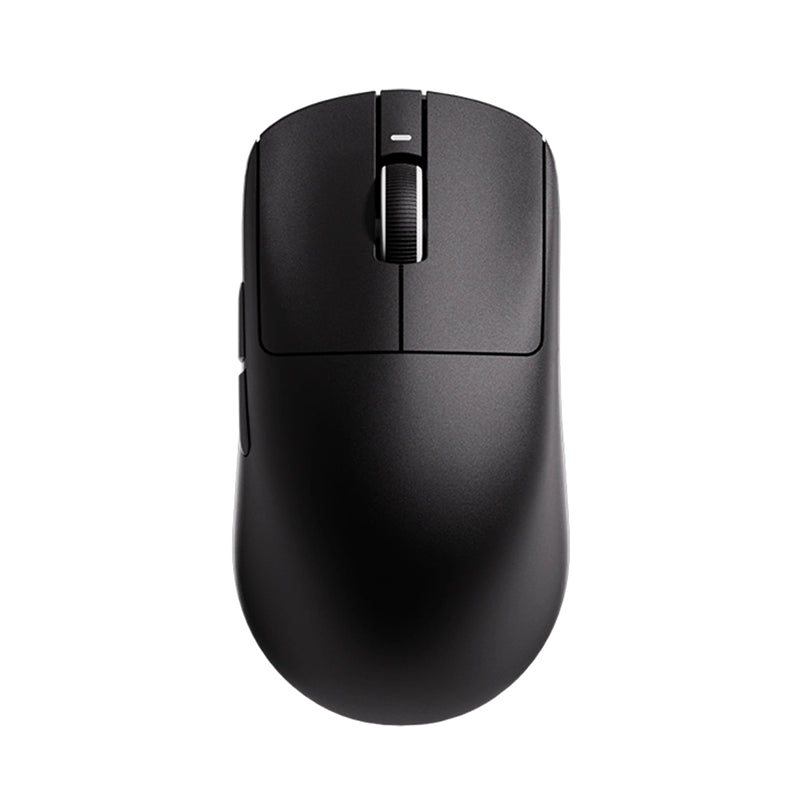
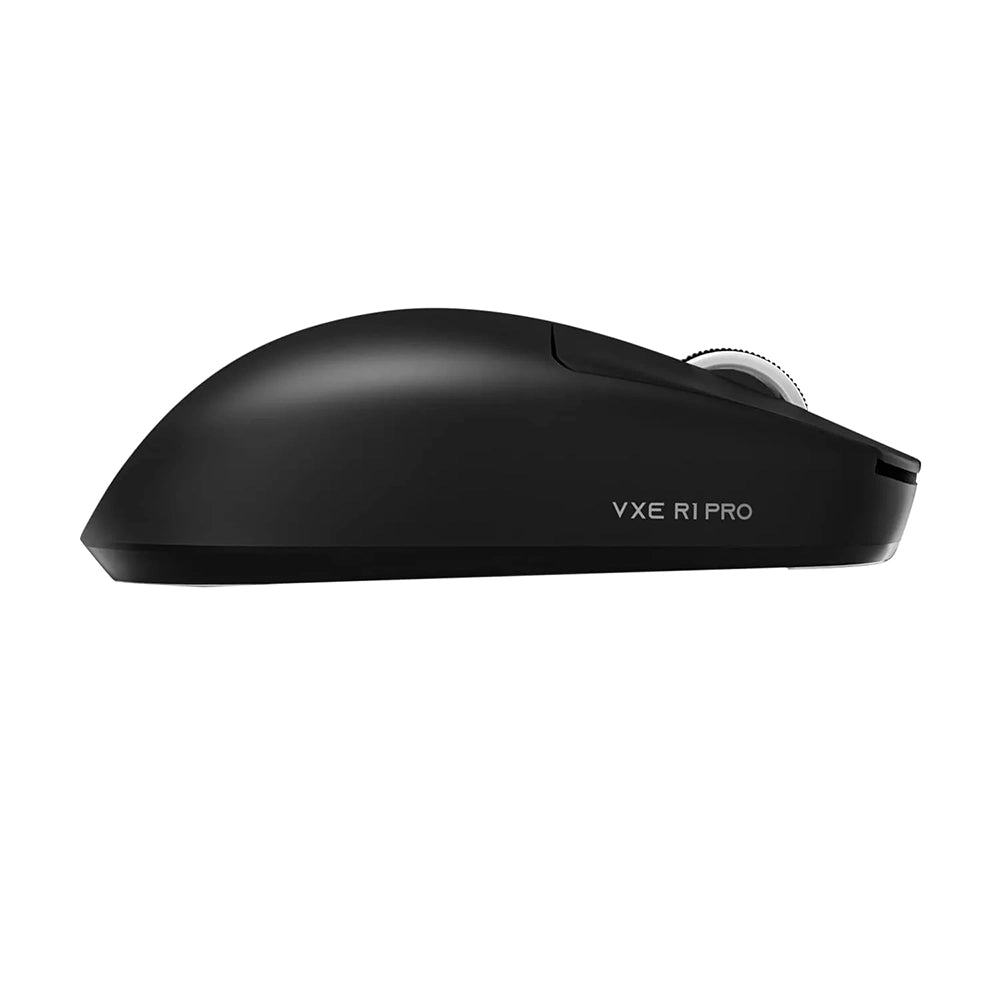
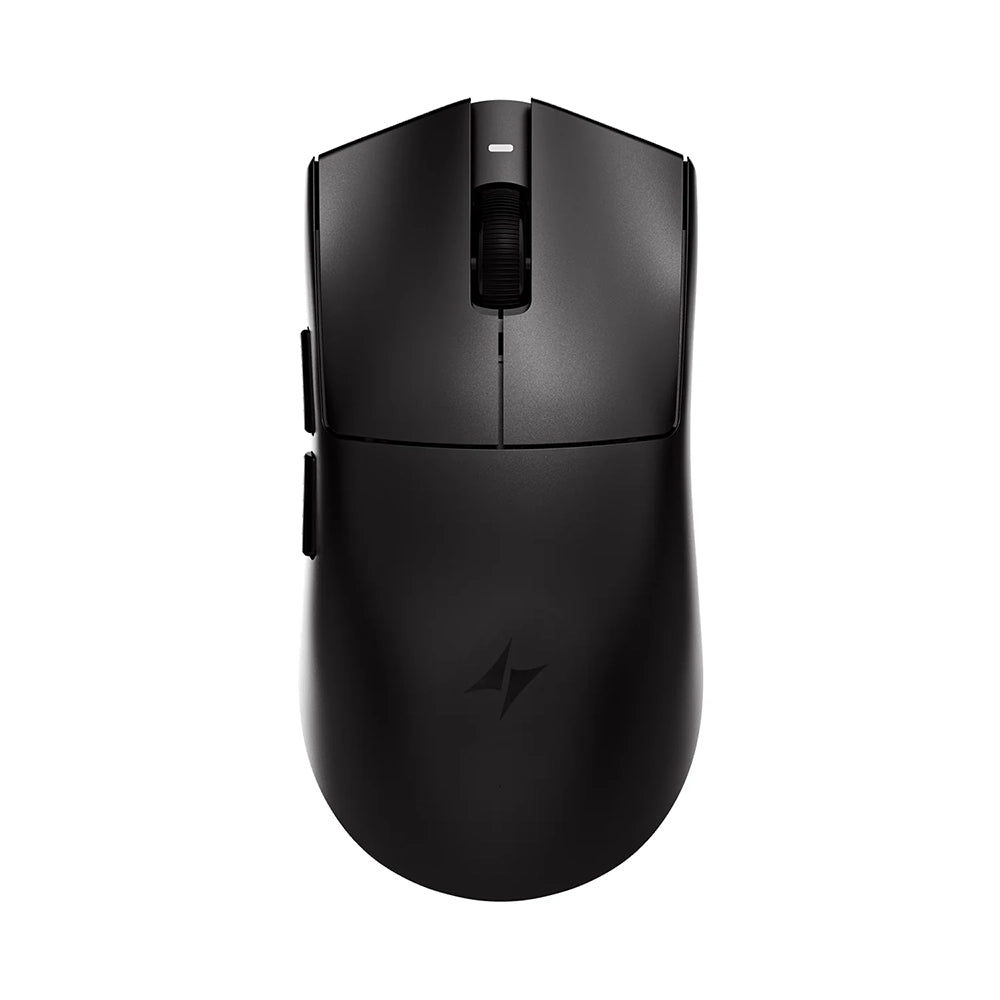


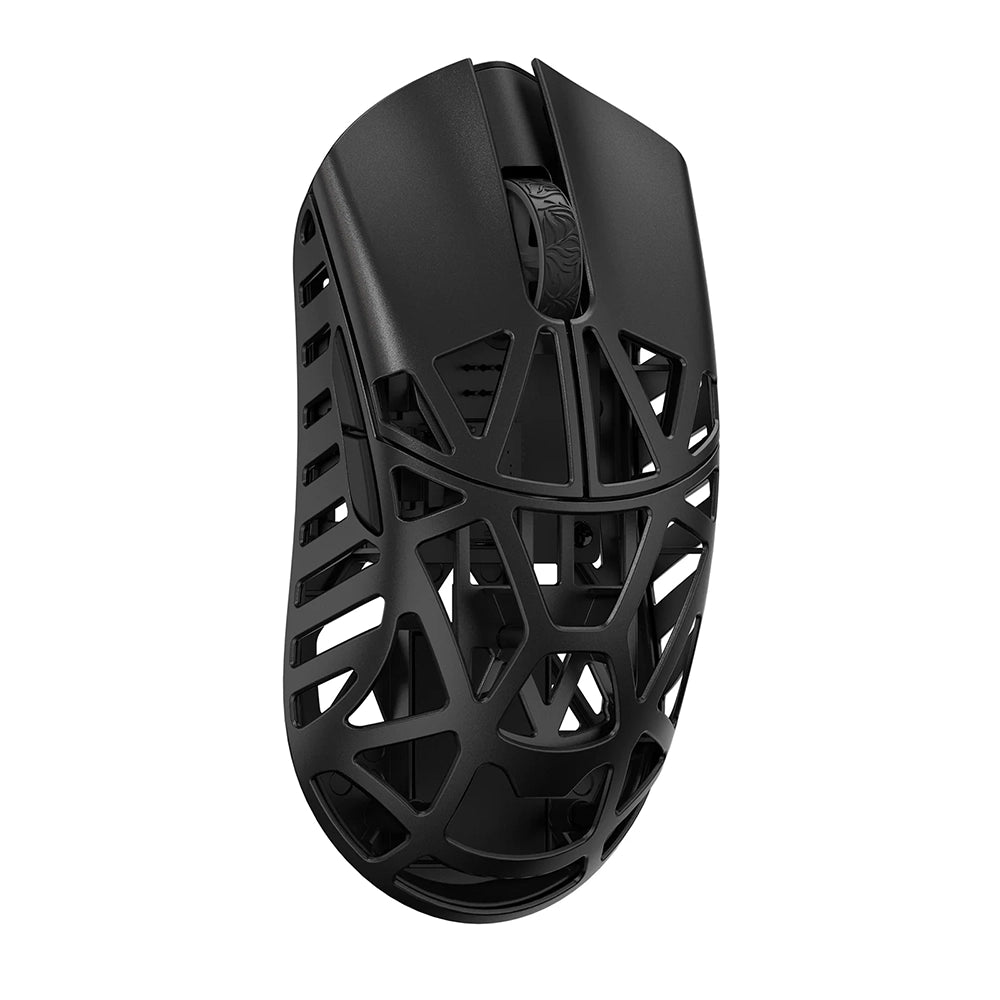
But that number answers the wrong question if taken alone, because it assumes every player needs the same thing. Three factors shift it more than anything else: how often you play, what you already own, and the game you play, which gets its own section just below.
How often you play
A mouse used two hours a week and a mouse used thirty hours a week do not wear at the same rate. The value of durability scales directly with use, and it is the single most underestimated factor in a purchase decision.
What you already own
A high performance mouse on a worn out mousepad, or paired with a 60 Hz screen, cannot express most of what you paid for. Your mouse is never faster than the weakest link around it.
Spending more does buy more. Higher priced mice are better across essentially every component, and that part is not marketing. The real question is not whether the upgrade is real, but whether your current setup and playing habits let you feel it yet. That is what the rest of this guide is for.
🎮 Does the game you play change your budget?
Competitive FPS puts more demand on tracking consistency, weight and click latency than almost any other genre. MOBA and MMO players shift the priority towards button count and comfort over long sessions. Slower paced games forgive far more, and the same budget buys a very different experience depending on where you spend it.
In practice, a competitive FPS player gets the most out of every extra euro spent on weight and tracking, while a MOBA or MMO player is better off investing in comfort and buttons than in an 8K polling rate. The right budget always starts with the game. Our guide on which mouse to choose for your game goes through the main titles one by one.
🖱️ What does the price of a gaming mouse actually pay for?
Price differences in this market are not arbitrary, but they are not proportional either. Some improvements are genuinely expensive to produce. Others cost almost nothing and are cut anyway. Understanding which is which is the single most useful thing you can learn before spending your money, because it tells you exactly what to look for on a spec sheet at any price point. Our guide on how to choose your gaming mouse explains each of these components in detail.

Two very different kinds of cost
Every mouse carries two separate costs. The first is the bill of materials, meaning the physical parts: the sensor, the switches, the battery, the plastic, the cable. The second is engineering, meaning everything that had to be designed, tested, tuned and validated before a single unit was produced.
The bill of materials scales gently. Engineering does not. This is why two mice with a nearly identical component list can sit 60 € apart and still both be honestly priced. One was designed carefully and validated at scale, the other was assembled from a catalogue of existing parts.
What is genuinely expensive to build
Low weight combined with rigidity. Making a mouse light is trivial: remove material. Making it light and rigid, with no flex when you press the shell and no creaking under a claw grip, requires better polymers, more expensive moulds, and a lot of iteration on the internal structure. This is the clearest example of a feature that is impossible to fake, and it is why weight remains one of the most reliable price indicators on the market.
Wireless done properly. A wireless connection is cheap. A wireless connection that is consistently stable, low latency, interference resistant and efficient with battery is not. It requires antenna design, radio tuning, firmware work and extensive real world validation. The gap between cheap wireless and good wireless is one of the largest gaps in the entire product category. Our technical guide explains how these systems actually work.
Sensor implementation, not the sensor itself. Top tier sensors have become surprisingly affordable, which is why you now find capable sensors well below 50 €. What still costs money is implementing one correctly: positioning, lens quality, firmware tuning, lift off distance calibration and consistency from unit to unit. Two mice can share the same sensor reference and behave differently, and that difference is paid for in engineering.
Manufacturing consistency. This is the most invisible cost of all. Tighter tolerances, stricter quality control and a lower defect rate all cost money per unit. An expensive mouse is not just better on average, it is more predictable, which means the one you receive behaves like the one that was reviewed.
What is cheap to improve but often cut anyway
- Mouse feet. Good PTFE skates cost a manufacturer very little and transform the glide of any mouse. They are routinely thin, rough or badly shaped on entry level products. This is the highest impact per euro of anything on a mouse, and the easiest thing to upgrade yourself later.
- The cable. A stiff, heavy, rubber cable can ruin an otherwise decent wired mouse. A flexible braided cable costs a few euros more at most. It is a pure cost cutting decision, not a technical limitation.
- Shell finish and coating. Grip quality, surface texture and resistance to wear are largely a matter of specification rather than engineering. Cheap coatings become slippery or sticky after a few months of use.
- Software and onboard memory. The ability to store your settings inside the mouse itself is not expensive to implement, but it is frequently absent below a certain price. It matters far more than most buyers expect, especially if you use more than one computer.
Where manufacturers cut, and at which price
Every product has a target price, and every target price forces compromises. Those compromises are predictable, which means you can anticipate them.
| Price | What gets cut | What it means in game |
|---|---|---|
| Around 40 € | The sensor is usually acceptable, the savings are made everywhere else: heavier shell, noticeable flex, average switches, basic feet, stiff cable, basic or absent wireless | The mouse works. It simply asks more of you. |
| Around 80 € | The structural compromises largely disappear. The cuts move to side button quality, scroll wheel feel, battery life, or a wireless stack that is good rather than excellent | The product stops fighting you. |
| Around 130 € and above | No real compromise left in the core experience. Spending moves towards materials, refinement, consistency, longevity and the last few percent of performance | Refinements on an already complete product, which matter enormously to competitive players |
Why the curve flattens, and why the top still matters
The distance between a 30 € mouse and a 90 € mouse is far larger than the distance between a 120 € mouse and a 200 € mouse. This is not because the expensive mice stop improving. It is because the fundamentals get solved progressively, and once they are solved, further spending goes into refinement rather than repair.
Refinement is exactly what competitive play is made of. A slightly better shell material, a more consistent click, a marginally more stable connection and a lower weight all compound over thousands of hours. The top of the market is where you buy consistency and endurance rather than raw capability, and that is why our budget ranges go all the way up: under 50 €, under 100 €, under 150 € and under 200 €.
🏆 Does the brand change the price?
Partly. At equivalent specs, each brand follows its own vision, and that vision shows in the price: high cadence brands like VXE and ATK push performance into the entry level, community specialists like Pulsar and Lamzu sit in the mid and upper range, while WLMouse and Razer play at the top with premium materials or a complete ecosystem.
The name on the shell is never just a logo: it reflects a distribution network, a warranty and a release cadence. To see how each brand positions itself, check out our guide on which gaming mouse brand to choose.
🧰 Accessories: the hidden cost of a gaming mouse
Accessories are rarely counted in a mouse budget, yet they weigh on it over time, and the price of the mouse itself decides how much.
Feet wear out, and not all of them wear out equally
Mouse feet are a consumable. They are the only part of the product in permanent friction with a surface, and no amount of build quality prevents them from thinning out. On heavy use they become noticeably rougher within months, and once the PTFE is worn through to the base, the glide degrades fast and the mousepad starts taking the damage instead.
What changes with price is how long that takes and how well it is handled. Cheaper mice use thinner PTFE, sometimes mixed with lower grade compounds, with edges that are cut rather than rounded. They wear faster and they glide worse from day one. Higher end mice use thicker, purer PTFE with properly finished edges, which both lasts longer and stays consistent as it wears rather than degrading unevenly. Our guide on which accessories to choose for your gaming mouse covers skates, grips and dongles in detail.

What comes in the box, and why it counts as savings
This is where the price gap narrows in a way almost nobody accounts for. Most high end mice ship with a full spare set of feet, and very often with grip tape as well.
That is not a marketing gesture, it is a running cost removed from your budget. A replacement set of quality feet is a recurring purchase, and grip tape is another. Getting both in the box means the first replacement cycle is already paid for, and on a mouse you keep for years that represents a real amount of money and one less thing to order.
Entry level mice almost never include either. You get one set of feet, and when they wear out the replacement comes out of your pocket, along with the time spent finding a set that actually fits your model. The cheaper purchase quietly becomes a subscription.
It is worth checking this before you buy, because it is rarely advertised prominently and it changes the real price meaningfully. A 140 € mouse with a spare set of feet and grip tape included is not competing on equal terms with a 120 € one that ships with neither.
📊 Price tiers at a glance
Here is the whole market in one view. Each range has its own dedicated guide with concrete recommendations, so use this table to identify where you sit, then go to the section that matches your budget.
| Range | What you get | Main compromise | Best suited to |
|---|---|---|---|
| Under 50 € | A capable sensor, functional software, and a mouse that plays every genre correctly | Weight, shell rigidity and build consistency | Casual and occasional players, second machines, first gaming mouse, tight budgets |
| Under 100 € | Low weight with a rigid shell, reliable switches, genuinely usable wireless | Secondary details: wheel feel, side buttons, battery life | The majority of players, regular gaming, entry into competitive play |
| Under 150 € | High end shells and materials, very stable wireless, 4K and 8K connections | Less exclusive materials than the very top of the market | Committed players who want high end performance without the flagship price |
| Under 200 € | Best in class materials, top tier wireless, maximum consistency and longevity | Price itself, and diminishing returns per euro | Competitive and high volume players, anyone keeping a mouse for years |
🪙 The best gaming mice under 50 €
This is where a gaming mouse becomes genuinely accessible. Modern entry level sensors are far better than their reputation suggests, and the compromises have moved almost entirely to the physical build. If your budget stops here, the difference between a good and a bad choice is larger in this range than in any other, which makes the selection critical.
See our full guide to the best gaming mice under 50 € (coming soon)
💵 The best gaming mice under 100 €
The structural compromises disappear here. This is the range with the best performance per euro on the entire market, and the one that suits the largest number of players. If you play regularly and you are not competing seriously, there is a strong chance your ideal mouse is in this bracket.
See our full guide to the best gaming mice under 100 € (coming soon)
💳 The best gaming mice under 150 €
This is where the high end becomes accessible. Shells get lighter without losing rigidity, wireless reaches its best level and 4K or 8K connections become common. If you play a lot and plan to keep your mouse for several years, this range offers the best balance between refinement and price.
See our full guide to the best gaming mice under 150 € (coming soon)
💎 The best gaming mice under 200 €
Nothing is missing at this level, so spending buys refinement, materials and consistency over thousands of hours. The gains are smaller per euro but they are real, and they are exactly the ones that matter when performance is measured rather than felt.
See our full guide to the best gaming mice under 200 € (coming soon)
⏳ What a gaming mouse really costs you over time
The price on the label is not the price you pay. The real cost of a mouse is what you spend divided by how long it stays good, and those two numbers rarely move together. A mouse that is replaced every eighteen months and a mouse that is still perfect after five years do not belong to the same purchase at all, even when the receipts look similar.
The cost per year of use
This is the only number that makes different budgets genuinely comparable.
| Mouse | Price | Time in service | Cost per year |
|---|---|---|---|
| High end mouse | 130 € | 5 years | 26 € |
| Entry level mouse | 45 € | 18 months | 30 € |
And with the cheaper option, you spent three separate afternoons choosing, ordering and re adapting to a new shape in the meantime.
The calculation does not always favour the expensive option, and it is not meant to. What it does is expose the real question: not what you can afford today, but how long you intend to keep what you buy. If the answer is several years, the arithmetic changes completely.
Durability follows price, and it follows it closely
This is the most consistent relationship in the entire category. Higher priced mice last longer, and they last longer for reasons that are entirely predictable: better rated switches, tighter assembly tolerances, more resilient coatings, higher grade cables and better protected internal connections.
None of that is visible on a spec sheet, which is exactly why it gets overlooked. You do not pay more for durability as a feature. You pay more for components that happen to survive longer, and the difference only becomes obvious at the point where the cheaper option has already been replaced once.
What actually fails first
Mice very rarely die outright. They degrade, and they degrade in a specific order.
- The main switches usually go first, through double clicking or an inconsistent actuation force. This is the single most common reason a mouse gets replaced, and it is directly tied to switch quality and to how carefully they were mounted. Our technical guide details the different switch technologies and their behaviour over time.
- The coating goes second, becoming shiny, slippery or tacky where your fingers rest. It does not break anything, but it changes the grip you built your aim around.
- The cable and the strain relief follow on wired models, and battery capacity on wireless ones.
The sensor almost never fails. This matters, because it means the component people obsess over is not the one that determines how long the product lasts. Durability is bought in the parts nobody puts on the box.
Warranty, spare parts and support
A two year warranty and a three year warranty are not the same product promise, and they are not the same manufacturing confidence either. Longer coverage is expensive to offer, which is why brands only extend it on products they expect to survive.
What matters just as much, and gets discussed far less, is what happens when something goes wrong: whether replacement feet and grips are sold separately, whether the manufacturer answers, and how long a return actually takes. A cheap mouse with no support path is a mouse you throw away. A supported one is a mouse you keep.
The honest summary
Buying expensive is not automatically cheaper, and buying cheap is not automatically wasteful. The variable that decides which is true for you is how long the mouse will stay in service. Occasional players get excellent value from the entry level, because the parts that wear out simply do not get the hours to wear out. Heavy and competitive players reach the opposite conclusion for exactly the same reason, and for them the higher tiers stop being an indulgence and start being the cheaper option.
🗓️ When to buy, and when to wait
If your budget is limited but your needs are not, timing is the cheapest way to buy above your range. A player who genuinely needs a high end mouse but only has a mid range budget does not have to settle for the tier below. They have to wait for the right week.
Sale periods change which tier you can reach
This is the whole point. During a major sale, a mouse that normally sits at 150 € can land in the 100 € bracket, which means you are no longer choosing between a good mid range mouse and an entry level one. You are buying a flagship at mid range money.
That jump is worth far more than any small saving inside your original range. Saving 10 € on a 60 € mouse changes nothing. Reaching a 150 € mouse with a 100 € budget changes the product entirely: better shell, better wireless, better switches, longer service life.
The periods that actually matter
- Black Friday is the strongest of the year for gaming peripherals, with the deepest discounts on high end models specifically.
- Back to school and back to grind, at the end of summer, target gaming setups directly and are one of the better windows for a full upgrade.
- The French Days, in spring and autumn, are shorter but frequently aggressive on peripherals.
- The summer and winter sales run longer, with discounts that build up over the successive markdown phases.
How to use them properly
- Decide on the mouse before the sale starts, not during it. Identify the model you actually want at full price, then wait for it. This is the difference between buying a better mouse and buying a cheaper one you did not need.
- Aim one tier above your budget, not two. Discounts move a product up roughly one bracket. Expecting a 250 € mouse to fall into a 100 € budget will simply leave you empty handed.
- Do not wait if your current mouse is failing. Playing for three months on a mouse that double clicks costs you more than the discount is worth.
❓ Frequently asked questions
How much should I spend on my first gaming mouse?
Between 40 € and 60 € is the right starting point for a first purchase. You get a capable sensor and functional software without committing serious money to a shape you have not yet learned to judge. Once you know what grip suits you and how much you actually play, you will make a far better second choice.
Are expensive gaming mice really worth it?
Yes, and the improvements are real across essentially every component. The question is not whether the upgrade exists but whether your setup and your playing habits let you feel it. A high end mouse on a worn mousepad with a 60 Hz screen will not show you most of what you paid for.
What is the best value price range?
Between 50 € and 100 €. This is where the structural compromises disappear and the remaining cuts move to secondary details. It suits the largest number of players by a wide margin.
Do I need to spend more for competitive play?
Not necessarily more, but more consistently. Competitive play rewards predictability over thousands of hours rather than peak specifications. That is what the higher tiers actually sell, and it is why heavy players reach the top of the market for reasons casual players never encounter.
Is a lighter mouse always better?
No. Below a certain weight the gains stop being felt, and some grip styles and hand sizes prefer a little more mass for control. Weight is a reliable price indicator, not a performance score.
How long should a gaming mouse last?
Two to three years on an entry level model, four to six on a high end one, with heavy use shortening both. The switches almost always fail before anything else, and the sensor essentially never does.
Does battery life improve with price?
Not directly, and this surprises people. Some high end models run lighter batteries deliberately to keep the weight down, while heavier mid range models last longer between charges. What does improve with price is the efficiency of the wireless system itself, meaning more hours per unit of battery capacity rather than simply a bigger battery.
Should I buy accessories at the same time?
The mousepad, yes. Everything else can wait. The surface affects every movement you make and protects the feet of the mouse sitting on it. Spare feet and grip tape become relevant later, and many high end mice already include them.
Is DPI a reason to pay more?
No. Every modern sensor, including cheap ones, offers far more DPI than anyone uses. It is a marketing number rather than a differentiator, and our technical guide explains what actually matters in a sensor.




Leave a comment
This site is protected by hCaptcha and the hCaptcha Privacy Policy and Terms of Service apply.