








For years, the answer seemed obvious: competitive players used a cable, everyone else could go wireless. That is no longer true, and the question has shifted. The choice no longer really comes down to a wireless or wired gaming mouse, but to a good wireless connection, a cable, and the traps that make some wireless mice worse than they should be. This guide is part of our complete guide on how to choose your gaming mouse, and it answers one question: which connection actually suits the way you play?
⚡ Latency: wireless has caught up

The main argument against wireless used to be lag. Independent latency tests now show that a mouse using a dedicated 2.4 GHz receiver at 1000 Hz is not at a meaningful disadvantage compared to a cable, as long as the wireless implementation is well made. On high-end models, the gap is too small to feel in game.
The real gap is elsewhere. It sits between a good wireless connection and a cheap one, and above all between 2.4 GHz and Bluetooth. Bluetooth is designed to save power, not to be fast: in lab tests on the same mouse, it adds several milliseconds compared to the 2.4 GHz receiver. That is why most gaming mice keep it for the office or for travel, not for playing.
🕊️ What going wireless really changes

Once latency is out of the equation, the difference you feel is freedom of movement. No cable dragging on the edge of the desk, no tension pulling the mouse back on a wide flick, no snag at the worst moment. On low sensitivity, where the arm covers the whole mousepad, it is the change players notice first.
The pro scene followed. In a large survey of more than two thousand esports players, the ten most used mice were all wireless. It does not mean a cable makes you worse, but it shows that at the highest level, wireless is no longer seen as a compromise.
🔌 What wired still has going for it

A wired mouse never needs charging, never runs out of battery in the middle of a match and has no receiver to place. You plug it in and forget about it. For a player who simply wants something that always works, it is still a sound choice.
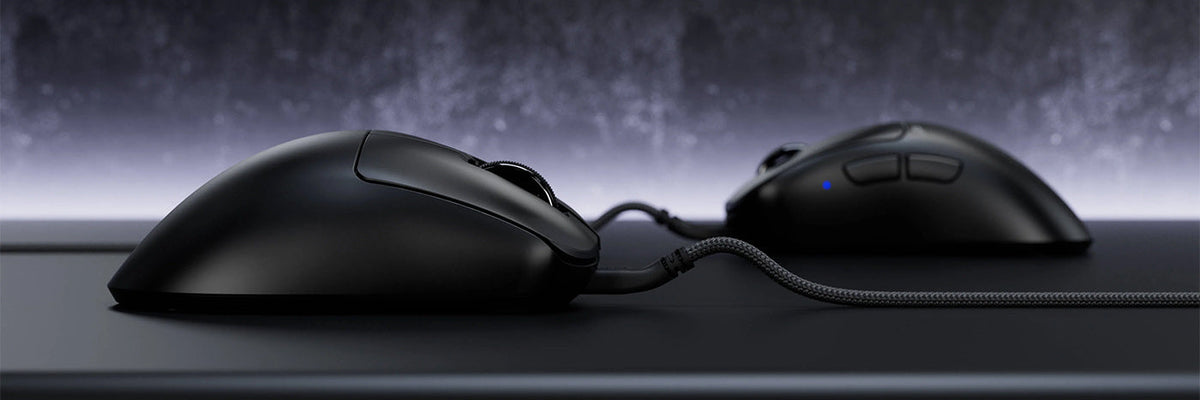
The cable's main drawback can also be reduced. A flexible braided cable, often called a paracord cable, drags far less than a stiff one, and a mouse bungee lifts it off the desk so it stops catching. And many wireless mice also work over a cable, which gives you both options in one.
⚠️ The traps that ruin a wireless mouse

A good wireless mouse can feel bad if it is poorly set up. The first trap is playing over Bluetooth instead of the 2.4 GHz receiver. The second is the receiver's placement: plugged in behind a tower or into a crowded hub, it loses signal. Placed close to the mouse, at the edge of the mousepad, it gets the most stable connection.
The third trap is battery life. It varies hugely between models, from around fifteen hours to nearly two hundred, and it drops further when you raise the polling rate to 4000 or 8000 Hz. Before buying, check the battery life announced and the conditions in which it was measured.
🧭 How to decide: three questions
If you are still hesitating, these three questions settle most cases:
- Do you play with a low sensitivity and wide arm movements? If so, the freedom of a wireless mouse will make a real difference, and that alone justifies it.
- Will you remember to charge it? If the idea of a dead battery mid-game bothers you more than a cable does, a wired mouse, or a wireless model with long battery life, will suit you better.
- Is your budget tight? Then avoid cheap wireless mice with a poor connection: a good wired mouse will serve you better than a bad wireless one.
Whatever you choose, the shape still comes first: our guide on the best gaming mice for your grip helps you find it. And to compare every model available, browse our wireless gaming mice collection.
📊 Wired, 2.4 GHz or Bluetooth at a glance
| Connection | Latency | Battery | Best for |
|---|---|---|---|
| Wired | Very low | None needed | Players who never want to think about charging |
| Wireless 2.4 GHz | Very low on good models | From about 15 to nearly 200 hours | Competitive play with full freedom of movement |
| Bluetooth | Noticeably higher | Longest, most power-efficient | Office work, laptops, travel |


Leave a comment
This site is protected by hCaptcha and the hCaptcha Privacy Policy and Terms of Service apply.